Liqwiz POS Offline
Everything stays on your device
- No internet needed, ever
- One PC, or several tills on the shop Wi-Fi
- Backups to a USB or your phone
انٹرنیٹ جائے، سیل نہ رُکے
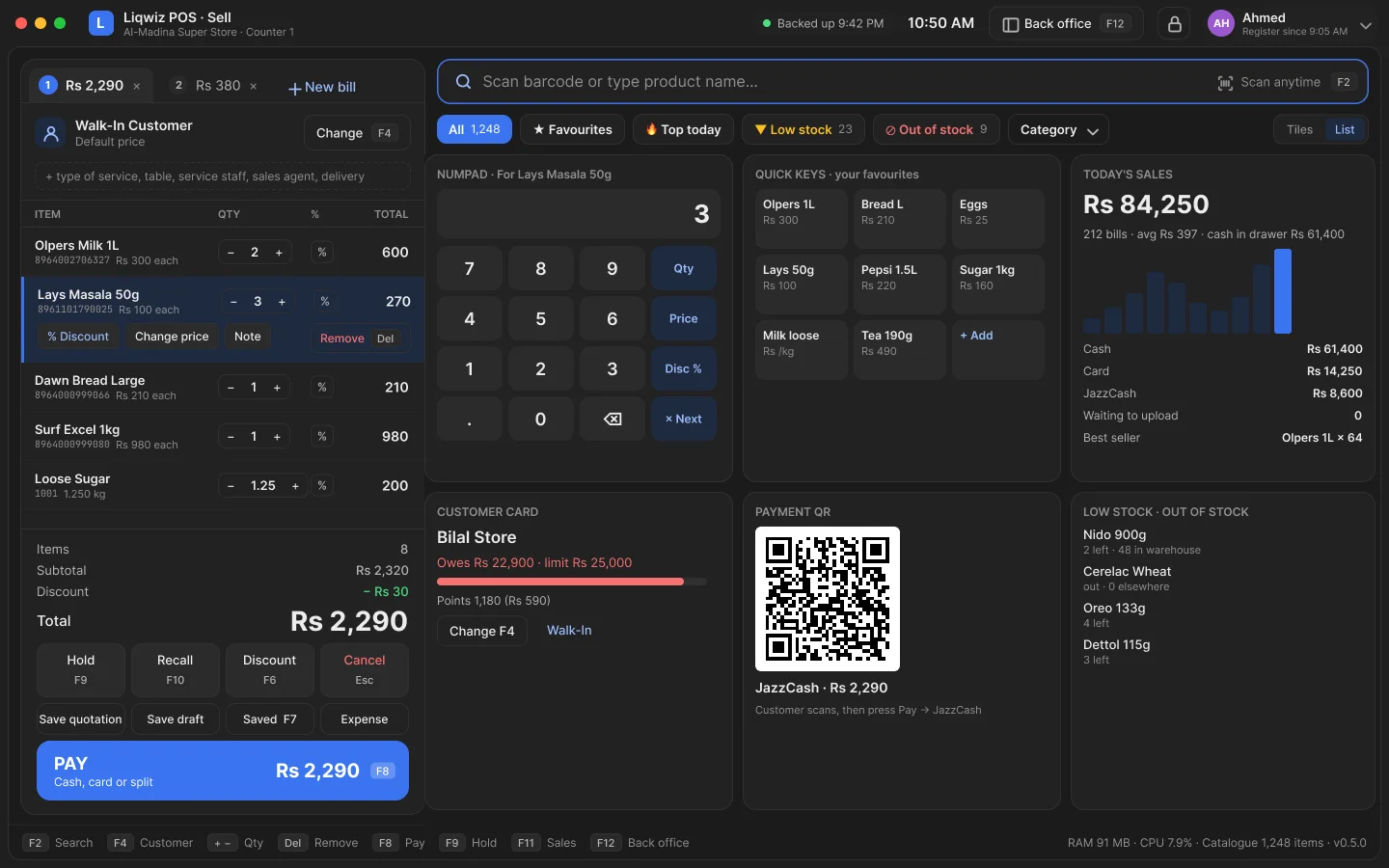
Liqwiz POS runs the counter, the stock, the accounts and the reports of any shop. It keeps selling when the internet goes, and syncs by itself the moment it comes back.
Keep scrolling and watch the internet go. The counter does not notice.
Every bill reaches the cloud within seconds. Your phone sees it live.
The till has everything it needs on the device. It keeps scanning, printing and counting stock.
Every waiting bill syncs by itself, in order. Nothing to press, nothing lost.
Everything stays on your device
Sells offline, syncs when online
Nothing to install or look after
Your data lives on your device. Move to another edition whenever the shop changes.
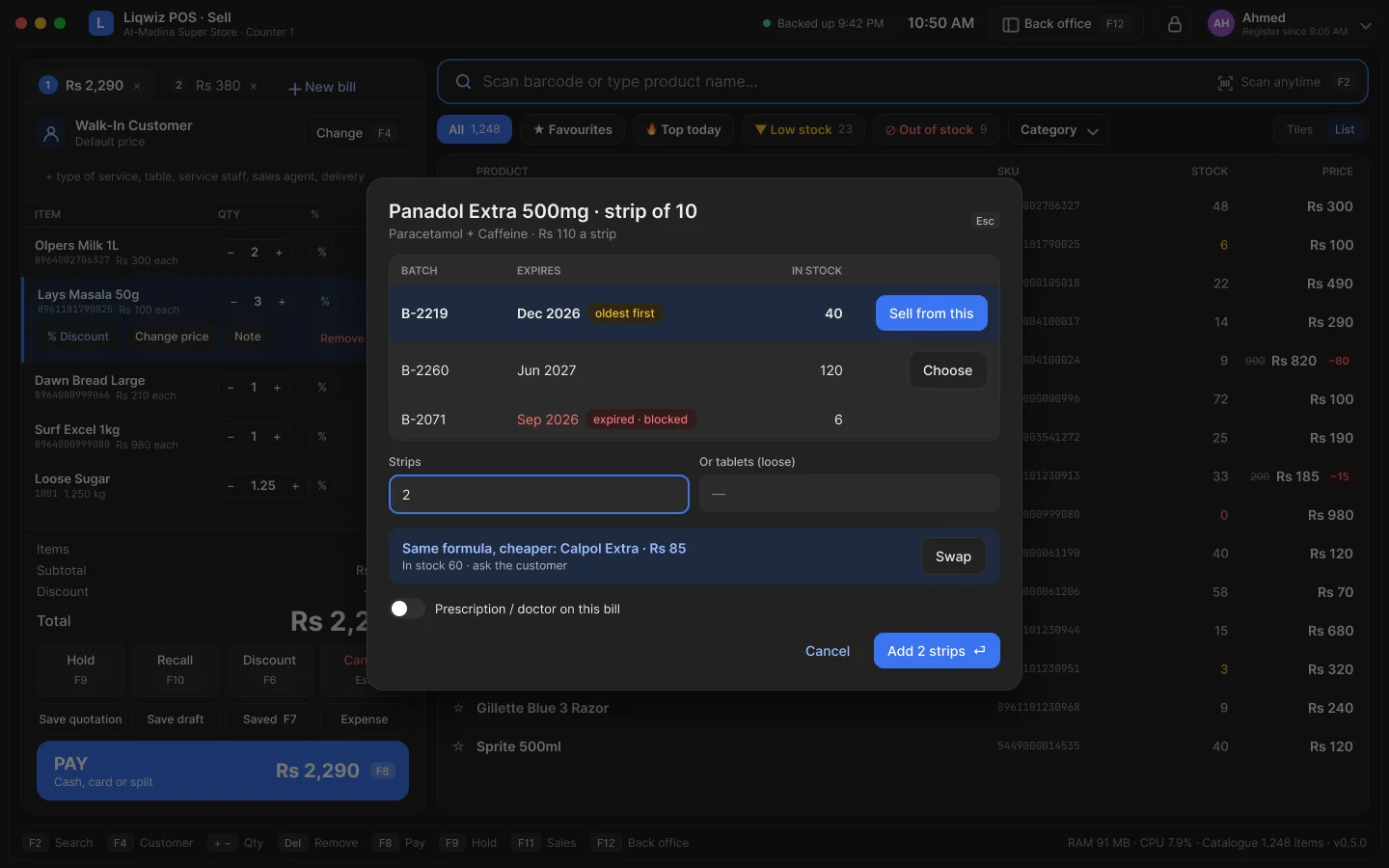
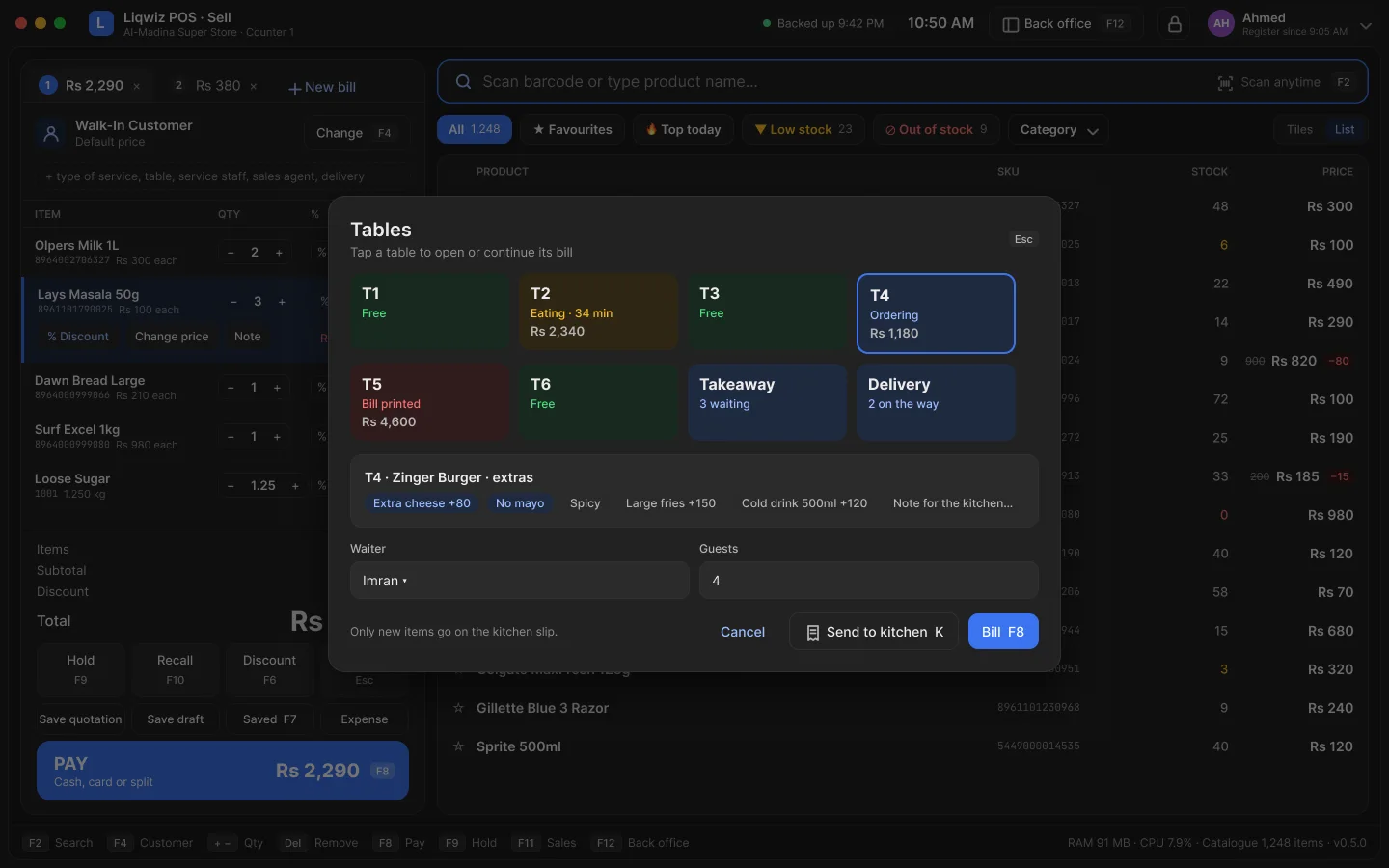
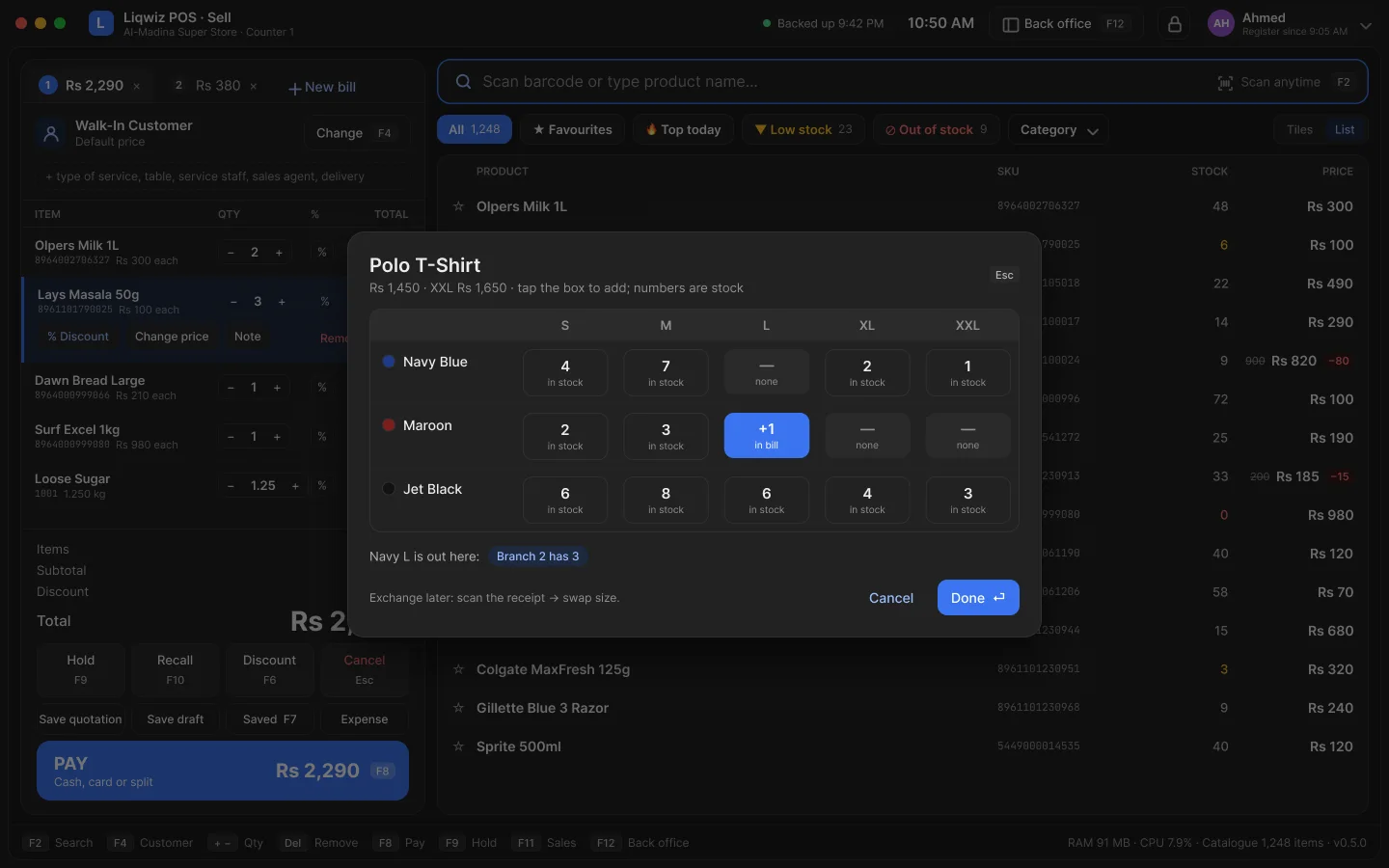
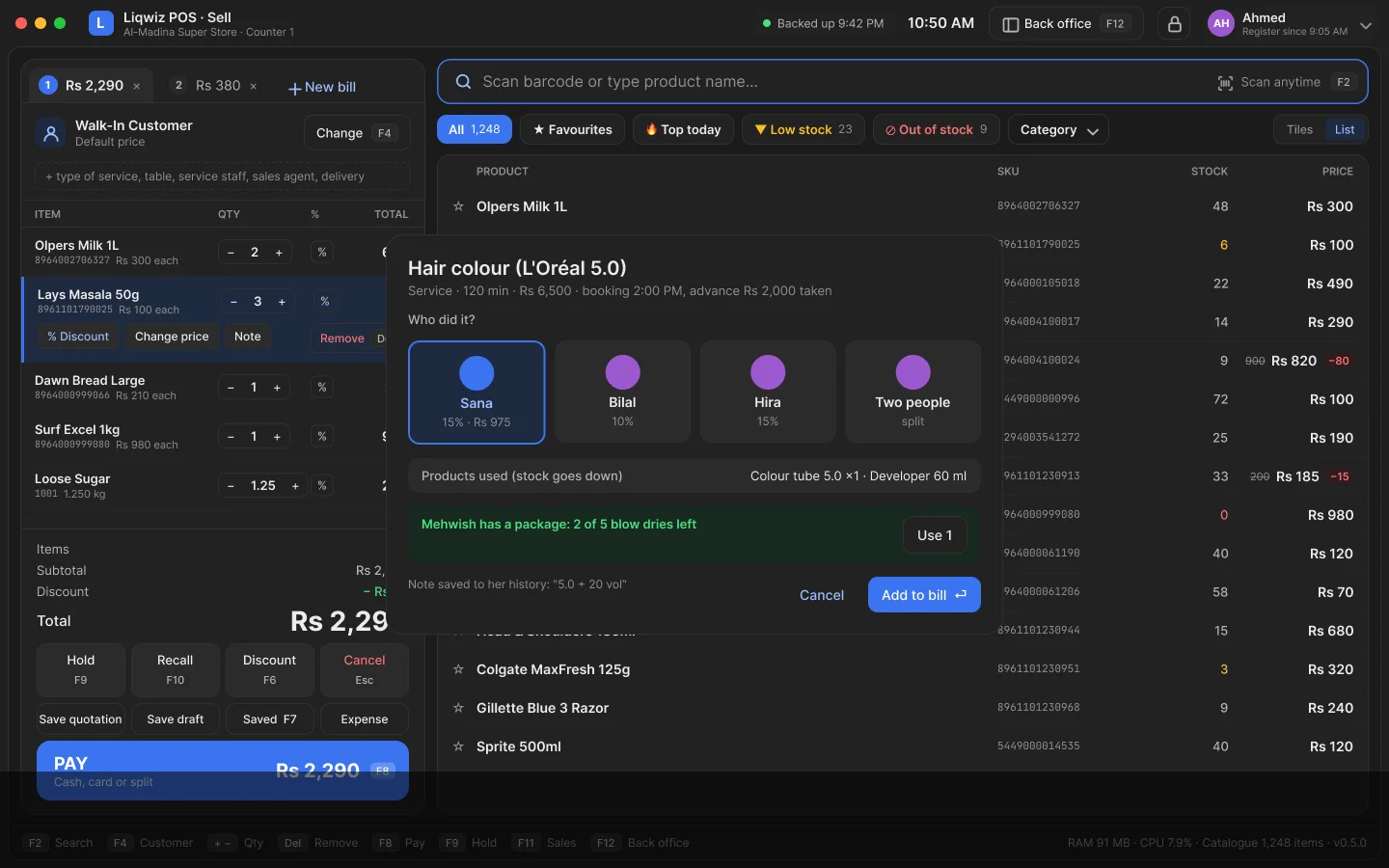
Made for rush hour. Every tap is answered on the device, so the counter never waits for a server.
Scan, weigh or tap a quick key. The bill is ready before the customer reaches for the wallet.
Every sale, return and delivery moves the stock. Low stock and expiry dates warn you first.
Who owes what, reminders on WhatsApp, supplier bills and what you owe, always up to date.
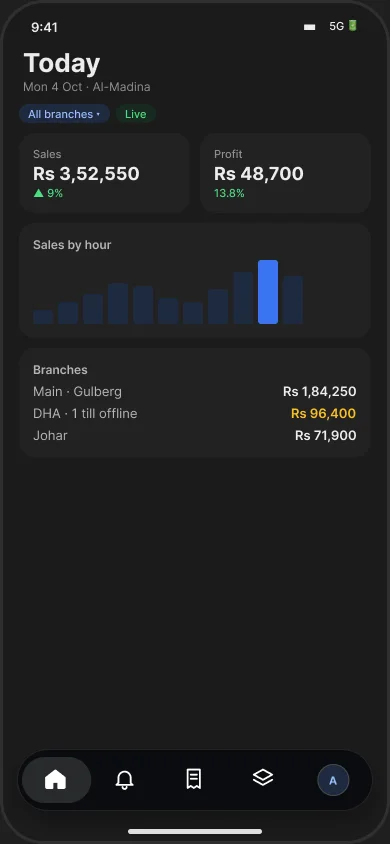
Sales, profit, busy hours and top sellers, on the PC, on your phone and by email.
Drag and drop your own receipt and labels: logo, Urdu, QR and tax numbers.
FBR and provincial invoice numbers with the QR on every receipt, online or offline.
The work that happens before and after the bill, in the same app. Switch on only what your shop uses.
After a payment it says the bill and the change in Urdu, in a real voice. No internet needed.
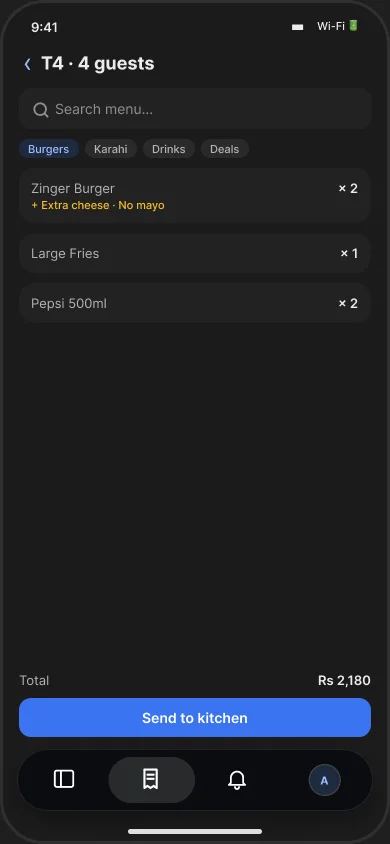
Tables and split bills, a kitchen screen and an order board, riders and their cash, a QR menu customers order from.
Buy 2 get 1, happy hour, coupon codes and loyalty points, applied at the till by itself.
Appointments by person and time. Repair, tailor and laundry jobs with a slip, an advance and a ready date.
They see their account, their bills and their points on their own phone, and order from you.
Each person clocks in with a PIN. Late and absent days are counted, salary and advances worked out.
The 14 allergens on every item: on the receipt, on the menu and on a chart for the counter.
Rupees, pounds, dirhams or dollars. The shop's own currency and tax on every screen and receipt.
Over 100 step-by-step guides in English, Urdu and Roman Urdu, opened from the screen you are on.
No special machine. A normal PC or phone, and the printer and scanner already on your counter.
One app for the owner and the staff, on Android. It works on the shop Wi-Fi even when the internet is gone. On an iPhone, the shop opens in the browser.
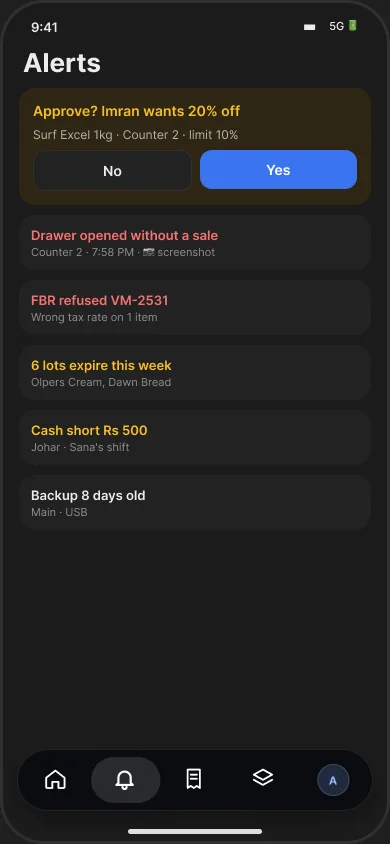
Approve a discount, a refund or a price change in one tap.
Sales, profit and cash in every branch, as it happens.
The same phone scans into the bill, counts stock and takes orders.
On a USB, a folder or your phone. Each copy is checked, so it really restores.
A PIN or a password, with exactly what that person may do and see.
Put the copy back and carry on from the very last bill.
Yes. The till has everything it needs on the device. It sells, prints and counts stock with no internet, and syncs by itself when the internet returns.
Yes, and back again. Your data moves with you, and the totals are checked to the rupee before every move.
It is built to be light. It runs on Windows and Mac, the phone app runs on Android, and a shop in the cloud opens in any browser.
Yes. Each person picks English, Urdu or Roman Urdu for themselves.
Try every edition free. No card, no installer to fight with.
Get the app for your counter: